Showing posts with label Wallpapers. Show all posts

0 Ways To Speed Up Your Personal Computer

Saturday, August 22, 2009

I see a lot of Windows users always complaining that their pc has slowed down drastically and they need a new PC. Upgrading the PC is always a viable option for better performance, but here are things that you can do to keep your PC healthy and i am sure this will help you to make your PC faster.

The last time u installed Windows it worked very smoothly on your first boot right? The boot process was faster, applications were running quickly and smoothly, no errors. Now why does it takes such a long time to boot and takes lot of memory? What can i possibly do to restore my PC that earlier state?

The answer is pretty simple. You have to take care of your pc and tweak a bit. Overclocking your PC is an option to try at your own risk which i don’t recommend hence not discussing in this post. You only have to understand why your pc is slowing down and do things to prevent from slowing down.

Here are 10 simple ways to speed your PC:

1. Using an Anti-Virus, Spyware and Adware removal program:

If you use Internet frequently, chances are that you pc is infected by any adware or spyware if you not using a good anti virus/anti-malware program. Most adware’s and spywares open multiple connections to access internet spreading infection all over the web. This may slow down your pc, other harmful viruses might crunch your memory and system resources mostly slowing down startup process. Therefore,

  • Use a good antivirus, adware, spyware removal Software.
  • Make sure you UPDATE it regularly.
  • Enable the auto update mode for better security.
  • Run regular scans (weekly scheduled scanning recommended).

2. Defragmenting Hard drives:

The files when moved or created on your PC are stored into small fragments randomly on your disk drive. When you open those files it takes time to gather all those chunks and put them back together to form that single file. When you defragment your drive all those scattered fragments are arranged properly on the drive thus loading application bit faster. There is a Disk Defragmenter utility in windows,

Open My Computer > Right click on the disk drive you want to defragment > Select Properties > Under Tools tab click Defragment Now. But i recommend Power Defragmenter a small free utility by sysinternals which is faster and with various options.

3. Clean Registry:

Windows registry is a database of information of all the files, folders and the windows configuration. This database grows as you use windows, can also become erroneous. Thus, it becomes necessary to clean and repair registry errors regularly. Use CCleaner a tiny Freeware to scan and fix registry issues.

4. Delete Temporary, Junk and Obsolete files/Clear cache:

Clean all your drives for free space, i personally recommend keep atleast 20% of your drive space free. Also, you have to clear the windows TEMP files, the web browsers temporary files, caches files, etc. All web browsers has that option. CCleaner will be a good choice for the same, it will analyze and clean all unwanted internet files, Windows Explorer files and system files.

5. Check Disk for errors:

Scan your disk for errors regularly. There may be some lost fragments or links which may lead to error in application. Run Scandisk once a week to keep things running smoothly. the error checking utility in windows will scan and attempt to recover bad sectors. Open My Computer > Right click the drive > Properties > Tools > click Check Now Button. Else simply type chkdsk /r at the command prompt.

6. Remove Startup items:

Removing unwanted startup programs will speedup the windows boot process and your desktop will be ready quickly. some programs like Limewire or MSN messenger take time to load at startup, you can remove those and run them when needed.to remove Startup items: Start > Run > type msconfig > press OK. Now in the System Configuration Utility uncheck the unwanted programs (better Disable All).

7. Remove unnecessary Programs:

Remove those programs which you don’t use anymore. This will free disk space and even help windows perform better. Also, remove the windows unwanted components like Indexing services & Outlook Express from the Add/Remove windows programs.

8. Keep PC updated:

Look for regular updates, Enable Windows Updates, Updates includes major bugfixes which can be helpful. Look for new Service packs for better hardware compatibility. Update all device drivers, anti-virus programs and other applications. Hardware Manufactures keep updating their device drivers for better and smooth functioning. I have written earlier on a Free Software To Update Windows Device Drivers do read that.

9. Remove unwanted visual effects:

The animated windows and fading menus can slow down your pc unknowingly. You can remove those fading effects, Use windows classic style theme, remove the heavy graphic wallpaper(none), You can even lower the color quality( to medium 16-Bit) and lower the screen resolution. Lower the screen resolution, better the performance.

e=”text-align:justify;”>10.Use Lightweight programs:

Replace all those resource consuming programs and look for better alternatives, especially for those who have RAM less then 512 and an old PIII machine.

use Lightweight antivirus programs like NOD32, AVG instead of Norton Antivirus.

This will really help you improve performance.

Any more suggestions will be appreciated.
READ MORE - 0 Ways To Speed Up Your Personal Computer

Daulatabad Fort

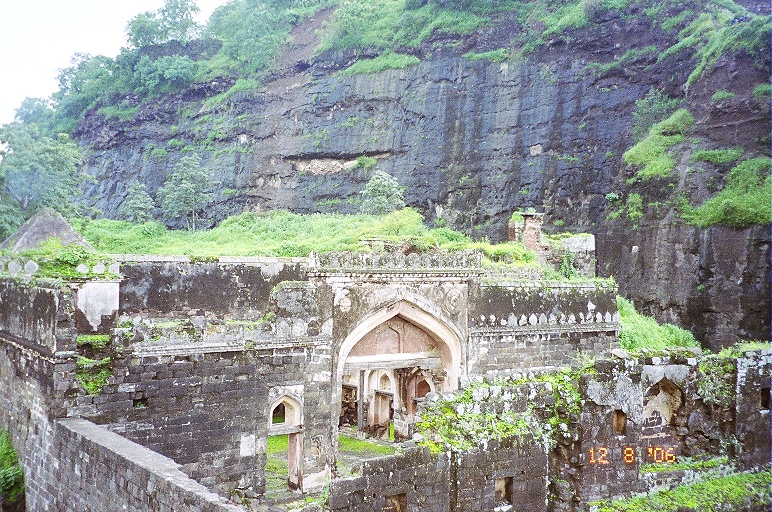
Daulatabad fort, in Aurangabad is a rare kind of construction, which is a combination of the ground fort and the hill fort. The imposing fort is built on an isolated pyramid-shaped natural mountain peak. The rock around is chiselled sklifully making the climb impossible.

The fort area is sorrounded by three concentric walls (fortifications) known as kots. The outer one, Amberkot covers the Daulatabad old town (a few shopts on both sides of the road). The National Highway 211, connecting Aurangabad to Ellora passes through the area covered by Amberkot.The second one, Mahakot, is currently the boundary of the fort for all practical purposes. Around Mahakot, sorrounding the fort is a water body (it is dry now). The main entrance is in Mahakot and has eight gates. The third one is Kalakot.

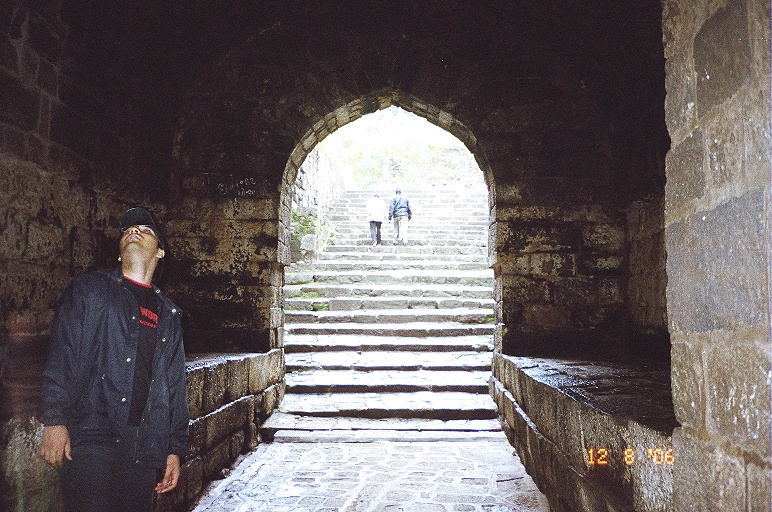
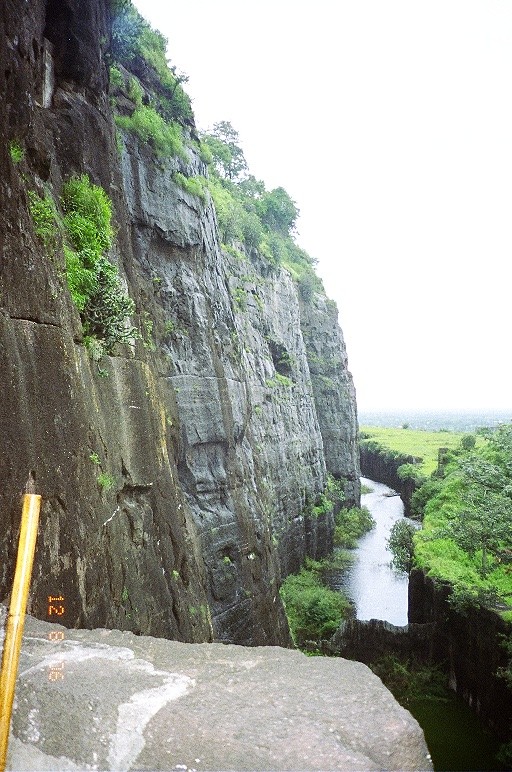
After Kalakot, one has to cross a deep waterbody (moat), built around the pyramid shaped mountain. It is not over yet. This is followed by a dark zig-zag passage, carved through the rock known as Andhari. It is pitch dark inside. This is followed by a flight of 400 odd steps up to reach the main fort. The fort could be conquered only by treachery.

History
It is believed that this fort, originally known as Deogiri, was built by the Rashtrakuta kings, who built the world famous Kailas caves. The earliest recorded history is that Yadav dynasty ruled this fort between 1187 to 1318 AD. In 1294, Alauddin Khilji attacked this fort, but the kingdome remained with the then rulers under a treaty. This was followed by Malik Kafur's attack in 1307 and later by Qutubuddin Mubarak Khilji in 1318.

In 1327 Mohammed-bin-Tuglak shifted his capital from Delhi to Deogiri, and renamed it as Daulatabad. In 1347, Hasan Gangu Bahamani established the Bahamaini kingdom in Daulatabad. Bahamani rulers ruled for over 150 years. In 1499, Daulatabad came under Nizamsahi of Ahmednagar. A new town Khadki near Daulatabad was formed which was later renamed as Aurangabad.

In 1633, Shah Jehan captured the fort. In 1635, Aurangazeb made Daulatabad the capital of Deccan. In 1724, the fort came under Nizam of Hyderabad, who laid the foundation of Asafjahi dynasty, and remained with the dynasty till 16th September 1948. Between 1760 and 1762, for a period of two years, the fort was under Peshwas, when Sadashivrao Bahu Peshwa captured the fort after defeating the Nizam.
Reaching Daulatabad
Daulatabad is in the outskirts of Aurangabad, and is on the Aurangabad - Ellora road (National Highway 211). Aurangabad is well connected by road, rail and air.

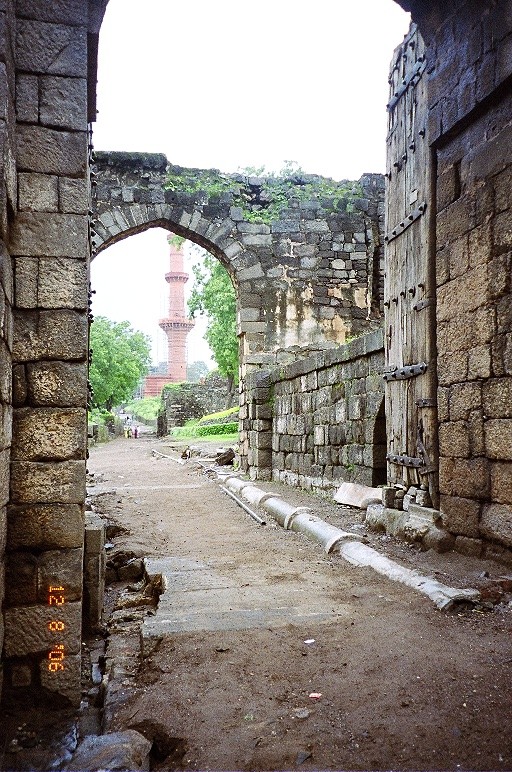
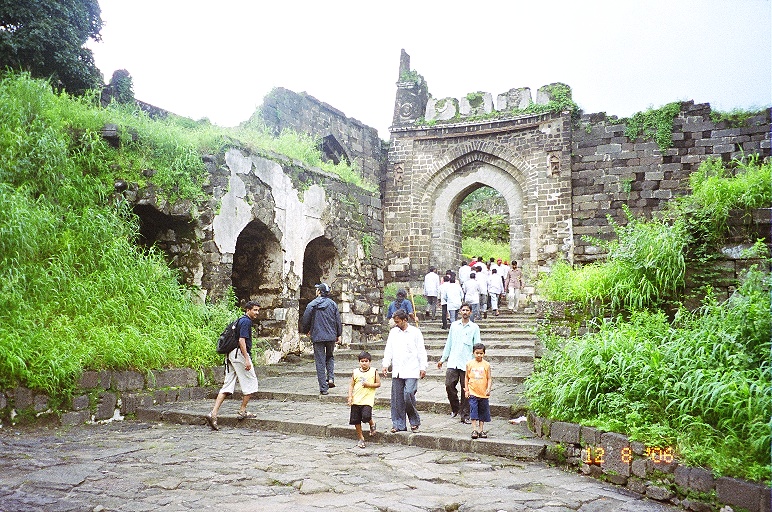
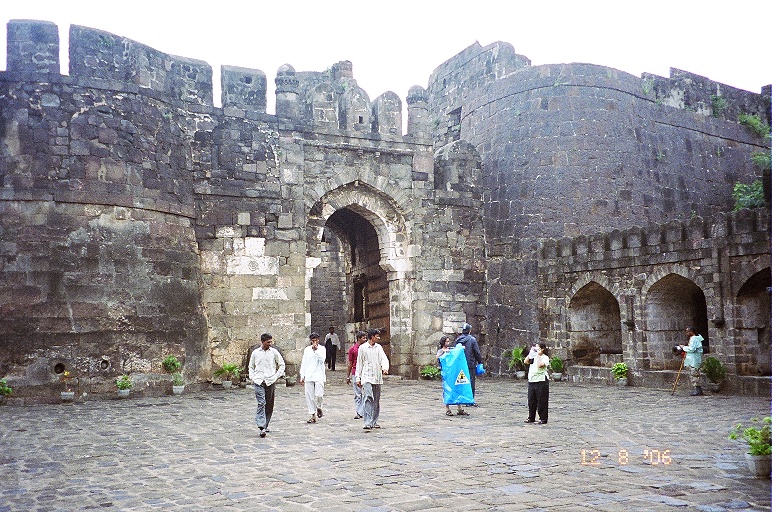
First gate at Mahakot. From inside ------------------------------------------------------------------------------
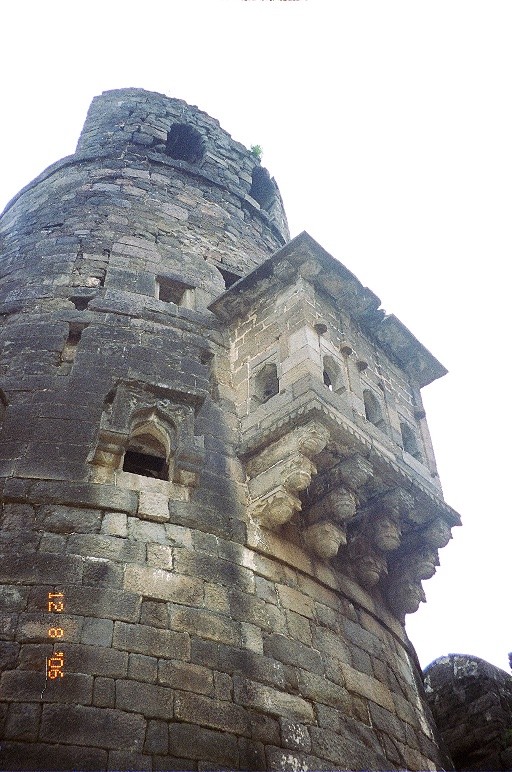
The watchtower at Mahakot

-----------------------------------------------------------------------------

Second gate at Mahakot

--------------------------------------------------------------------------------------------------

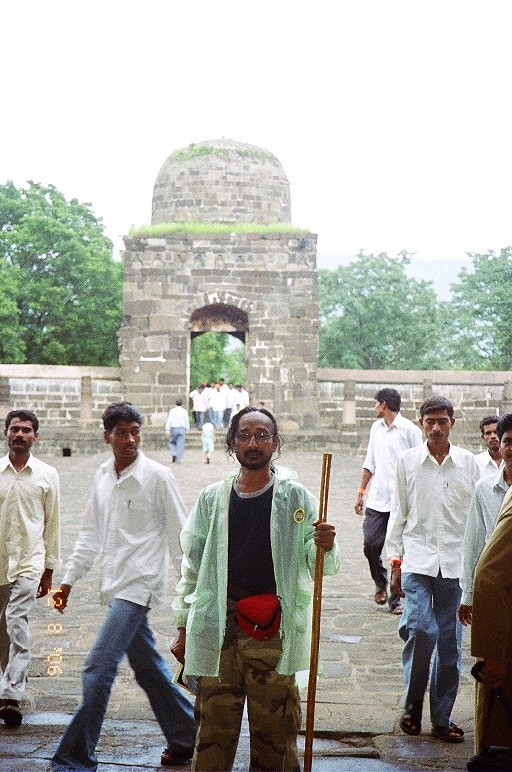
An ancient jain temple inside the fort

------------------------------------------------------------------------------------------------------

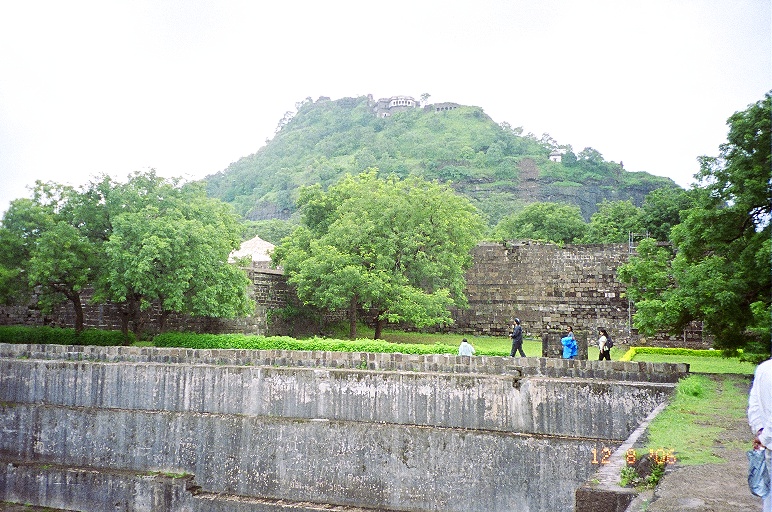
Around Hathi Haud or Elephant Tank

------------------------------------------------------------------------------------------------------

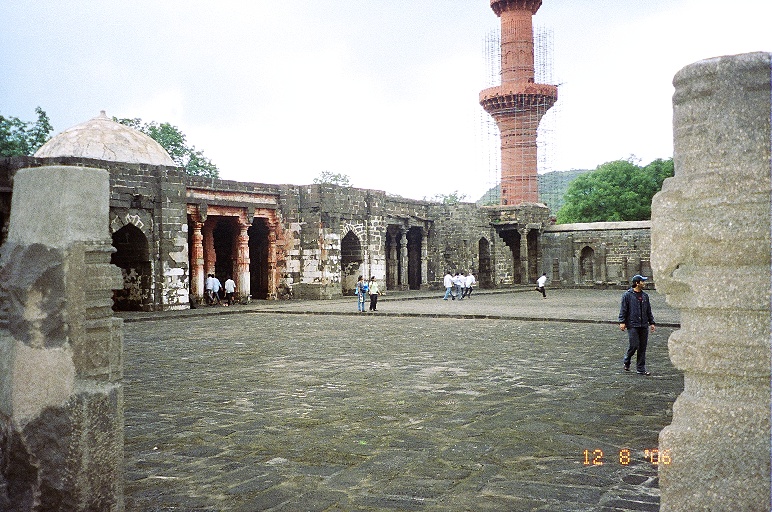
Courtyard in front of the Bharat Mata Temple. Originally a Jain temple, this was converted into a mosque by Mubarak Khilji and was later converted into a temple.


---------------------------------------------------------------------------------------------------

Kalakot entrance


--------------------------------------------------------------------------------------------------

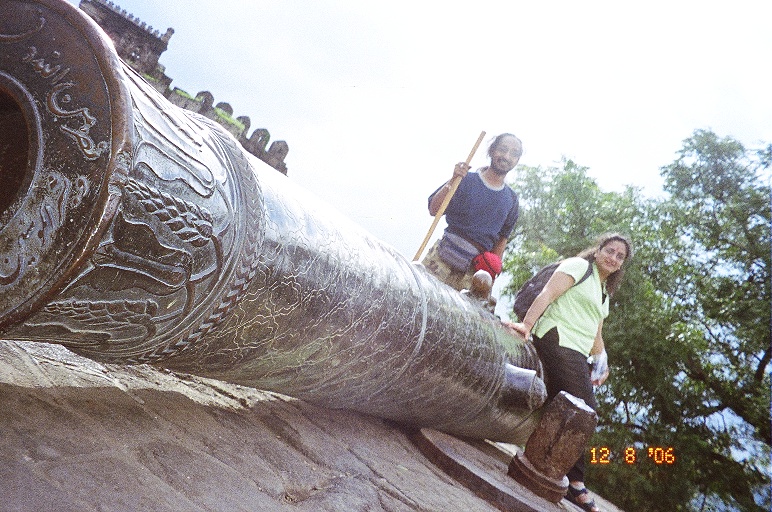
A huge canon on top of a bastion. Called the Mendha Tope, it is mounted on a pivot making it able to rotate.

-------------------------------------------------------------------------------------------------------

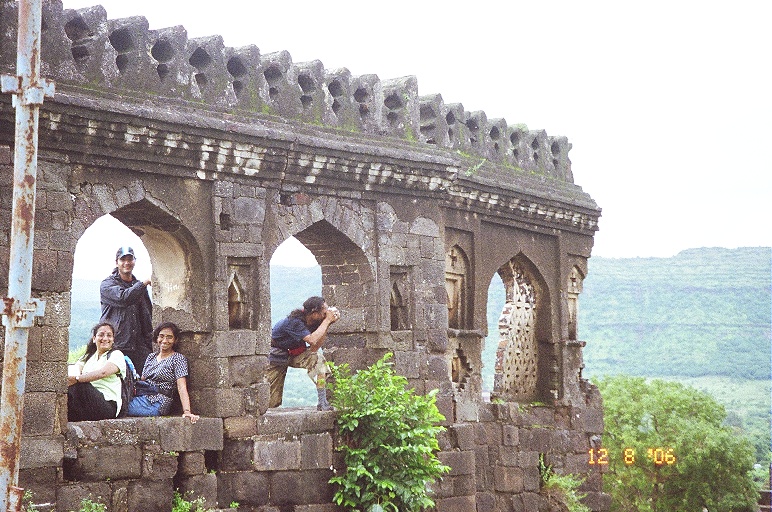
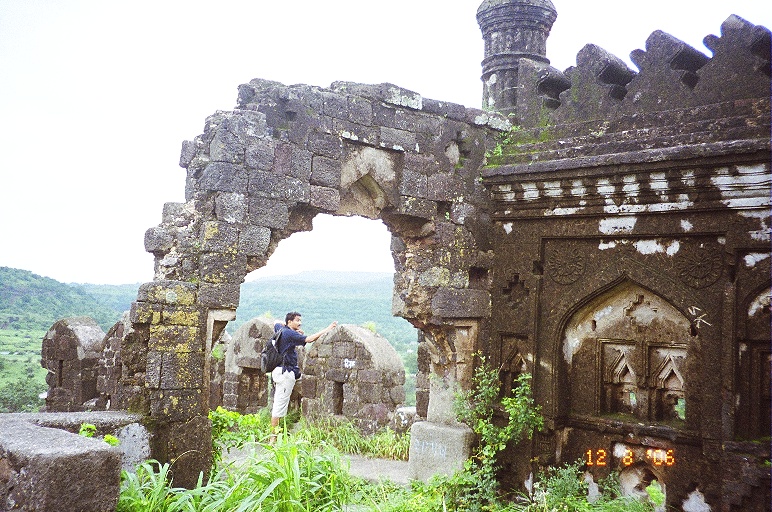
The Nizamshahi palace in ruins

----------------------------------------------------------------------------------------------------
The waterbody (moat) around the chissled mountain.

The moat is 16 metre wide and 20 meter deep. Two dams are constrcted in the moat to control water level. Water level can be increased above the bridge, so that the bridge is submerged during enemy attack. Leather bridges were also used, so that it could be rolled up immediately if needed.

----------------------------------------------------------------------------------------------

Ruins of the palace


----------------------------------------------------------------------------------------------

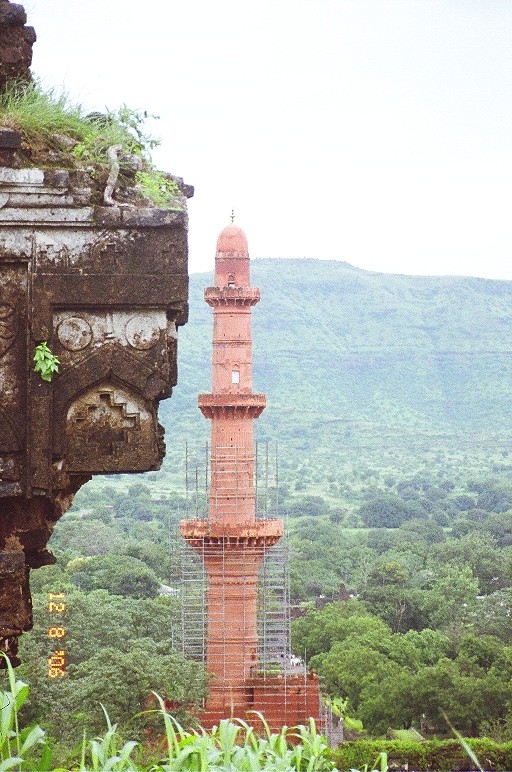
Chand Minar. This was built during Bahamani, in 1447. At 65 metre hight, it is only second to Qutub Minar in Delhi. Circumfrence at the basement is 10 mts.

----------------------------------------------------------------------------------------

Another view of Kalakot entrance

-------------------------------------------------------------------------------------------------------

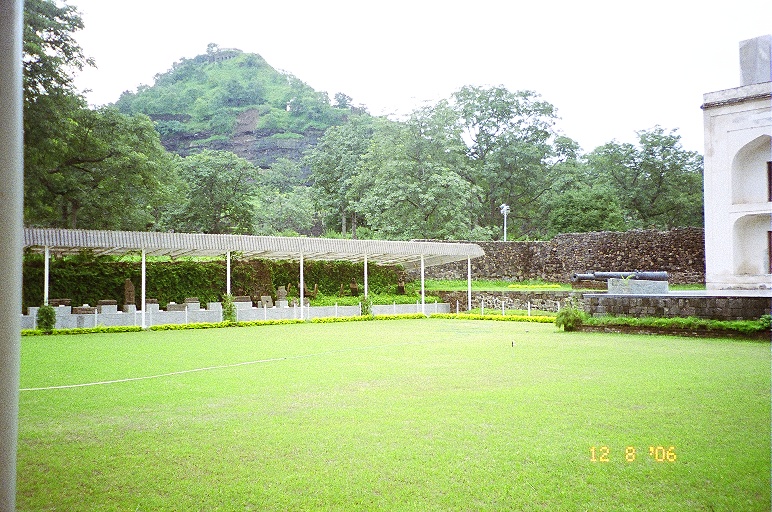
A museum near the Chand Minar


READ MORE - Daulatabad Fort

Preeti Jhangiani - HQ Wallpapers

Saturday, May 23, 2009


Preeti Jhangiani - HQ Wallpapers


Preeti Jhangani Biography

Preeti Jhangani (born 18 August 1980 in Mangalore, Karnataka) is an Indian actress and model. She is fluent in Sindhi, Hindi, Telugu, English. She is cusp-born (Leo/Virgo) and stands 5'5" in height. She studied in Jai Hind College, Mumbai where her older sister Deepa studied as well. Her mother is the vice-principal of the junior college section of Jai Hind College.

Preeti first appeared in a Rajshri Music Video 'Chui Mui' opposite Abbas, this made them as well as the Koala bear symbol - famous. Thereafter she has appeared in Nirma Sandal soap ads. Her first film was in Malayalam which was called Mazhavillu. She made her Bollywood debut in 2000 with Mohabbatein. The film starred Amitabh Bachchan, Shahrukh Khan, Aishwarya Rai and Jugal Hansraj as well as four other debutantes (Uday Chopra, Shamita Shetty, Kim Sharma and Jimmy Shergill). The film was a huge hit and started her film career. Her next hit was the comedy Awara Paagal Deewana,

She married actor Parvin Dabas on March 23rd, 2008. She lives in Bandra, Mumbai.
READ MORE - Preeti Jhangiani - HQ Wallpapers

Hostel Girls Playing Holi Last Year Pics

Thursday, March 19, 2009

Indian Girls Enjoying Holi Day


READ MORE - Hostel Girls Playing Holi Last Year Pics

Hostel Girls Playing Holi Last Year Pics

READ MORE - Hostel Girls Playing Holi Last Year Pics


Popular Posts